
BWVision
Hands-on Integrated B&W and Color Processing
Hands-on Integrated B&W and Color Processing
Couldn't load pickup availability
ℹ️ EARLY BIRD VALID UNTIL NOVEMBER 20, 23:59 CET.
Online Webinar · Joel Tjintjelaar January 17, 2027 · 6:00 pm CET · Live via Zoom
Process in black and white first. Then add the color back.
Mirroring the way the eye constructs an image.
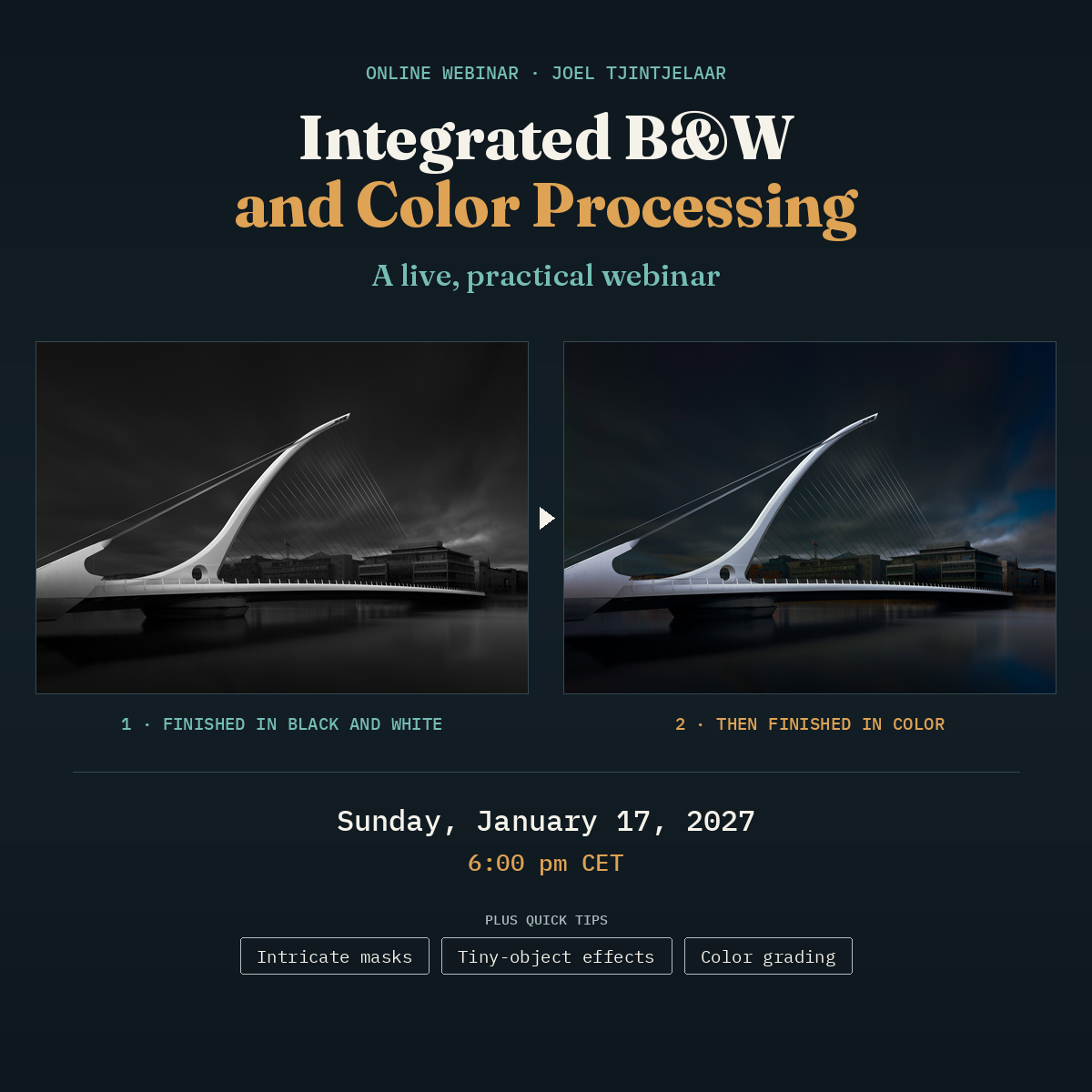
In this practical webinar, I process images live — at the same time articulating the artistic decision process while we navigate through Photoshop — using the hybrid harmonic model for black and white and the harmonic model for color. You see a finished black-and-white version first, then the finished color version built on it. The theory only gets a short refresher, and it is all based on a fact of human perception, overlooked by almost all color photographers: the eye reads luminance structures first, color second. This method mirrors the way the eye itself constructs an image. The time will be spent on practical, hands-on demonstrations, not on theory.
At a glance
How to read this
- Technical instruction and theory
- None: not part of the workshop. Basic: the essentials only. Solid: the established fundamentals, taught well. In-depth: goes beyond common knowledge, including original methods and theory.
- Experience level
- Beginner: little experience or knowledge. Intermediate: comfortable with the basics. Experienced: established practice, looking for depth.
These describe what to expect. They are not a quality rating.
One full demo and two shorter ones
Each demo follows the same sequence. I process the image to black-and-white using the hybrid harmonic model, including creating the masks. When the black-and-white version is finished, I add the colors back following the harmonic model for color. Both versions are finished images that could stand on their own in a gallery, but the color version would not be possible without the black-and-white one: its tonal structure needs to be established first and stays intact while the colors are added. The final result is nearly impossible to achieve technically when working in color only.
An architectural subject, in full
An expedited but complete demo of the whole process, from the first black-and-white adjustments and masks to the colors added back. Followed by tweaking the colors according to the harmonic color model.
A landscape/portrait, shorter
The same process on a different image type, in a shorter demo.
How I would approach it
If there is time left, a brief look at how I would approach a third image.
Ask while you watch
I'll take your questions at set moments. Where a decision needs a little theory to follow, I explain it briefly and keep going.
Three quick tips you can use right away
Besides the demos, I share these practical tips and tricks:
- Enhance intricate masks, such as leaves and branches
- Add effects to objects that are too small to adjust accurately, and other tricks that are only possible with the Artisan panels
- Color grading and harmonic tonal distribution quick tips
The practical follow-up to the harmonic model webinars
This is the practical follow-up to two of my more theoretical webinars on the harmonic model: The Complete B&W Fine Art Workflow for black and white and The Harmonic Color Workflow for color. Each covered one half in depth on a theoretical level. Here you see the whole process run continuously on the same image, without the theory and the paintings.
It is highly recommended if you followed one of them. If you haven't, you can still follow the process, but the theory gets only a short refresher here.
The hybrid harmonic model sets the tonal distribution of a black-and-white image using harmonic intervals from music and the 60-30-10 design principle.
The harmonic model for colors extends the same harmonic logic from tone to color, treating light, hue, and saturation as one system.
Everything can be replayed in Photoshop
This webinar is not about using the Artisan panels or other plugins, but they speed up the workflow and the demonstrations. All demonstrations can be replayed in Photoshop alone. Before the webinar, you will receive a short video that maps the panel steps to Photoshop steps.
| Date | Sunday, January 17, 2027 |
| Time | 6:00 pm CET (Amsterdam) / 12:00 pm EST (New York) / 9:00 am PST (Los Angeles) |
| Duration | 3 hours + short break |
| Format | Live via Zoom |
| Seats | Limited attendance. After payment in full, you will receive the Zoom invite within 24 hours. Check your spam folder. |
| Level | Intermediate to experienced |
| What you need | Photoshop. The panels used in the demos are optional (see above). |
| Included | 1. A short preparation video before the webinar 2. The recording a few days after the webinar, with subtitles in seven languages: English, Spanish, German, French, Dutch, Italian and Portuguese |
| Price | €160 |
| Cancellation |
|
Watch the full workflow applied, live.
Reserve your spot